Why the Stage Can Look Sharp While the Singer Is Smeared
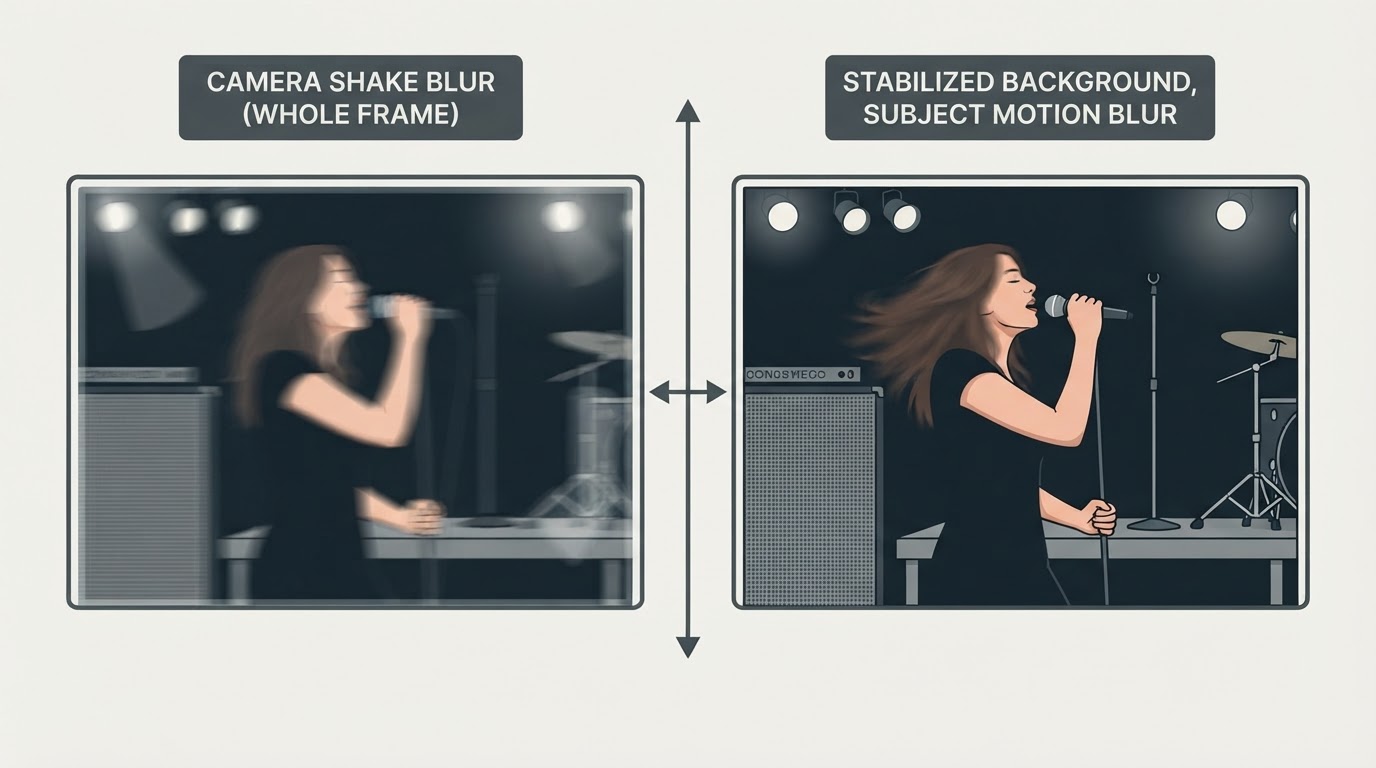
A mic stand, a wedge monitor and the lip of the riser often hold their edges while the performer turns into a streak. That pattern suggests subject motion, but it is not proof. A mic stand is not necessarily still, and it may sit in a different focus plane from the singer. Defocus, a shallow depth of field or a focus point that landed on the backdrop can soften a performer with no movement involved.
Check focus before changing anything else. Sony's tack-sharp guide lists accurate focus and depth of field as separate contributors to sharpness, alongside shutter speed, aperture, ISO and lighting Sony: What is a tack sharp image?. On a dark stage, the practical version is to put the focus point on a lit edge — a cheekbone, a collar, the neck of a guitar — and take one frame to confirm it locked. As the guide to concert autofocus settings explains, the tracking mode matters too. If that test frame is soft everywhere, hardware included, whole-frame softness alone does not identify the cause. Check focus and camera movement separately: whether the focus point and focus plane landed where you wanted is one question, and whether every edge smears in the same direction is another, since camera movement can soften the whole frame the way defocus does.
Streaking across the whole frame tells a different story. When every edge smears in the same direction, camera movement during the exposure is the likely cause, though rolling shutter, stage fog and heat haze can produce similar-looking damage. A directional smear is a lead to check, not an exclusive diagnosis.

What Stabilization Can and Cannot Do
Sony's checklist treats stabilization as one item among several sharpness factors rather than a single fix, which is how it behaves at a show.
Stabilization counteracts movement of the camera itself. Depending on the system it works in the body, in the lens or in both, and the modes and axes it covers differ between bodies and lens combinations. Some cameras also change behavior when mounted on a support, so check your model's manual for the situation you are shooting in.
What stabilization cannot do is add light or freeze a person. If a singer's hand travels across the frame during a slow exposure, no sensor shift or optical group brings it back. Nor does it guarantee that static details stay crisp in every handheld frame, or that the finder feels steady on every body; those depend on the equipment, the lens and how you are holding it. A published stop rating describes how much longer the camera can be held steady in a test, not a budget you can spend on a slower shutter while the performer keeps moving.
Set the Shutter for the Performance, Then the Exposure
Sony's shutter-speed guide frames the choice as a rendering decision: a fast shutter stops the motion of moving water, while slower speeds let it flow into a smoother shape, and the same logic applies to a performer Sony: Shutter Speed and S-Mode. Freeze a drumstick and the frame reads as a hard hit; let it blur and the frame reads as speed. Neither is automatically right, but the shutter is the control that decides which one you get.
The same guide notes that slower speeds blur more easily and that a moving subject adds its own blur on top of any camera shake. That is the distinction worth carrying into a dark venue: if the shutter is short enough for the performer, stabilization is left with the smaller job of keeping the camera from adding smear of its own.
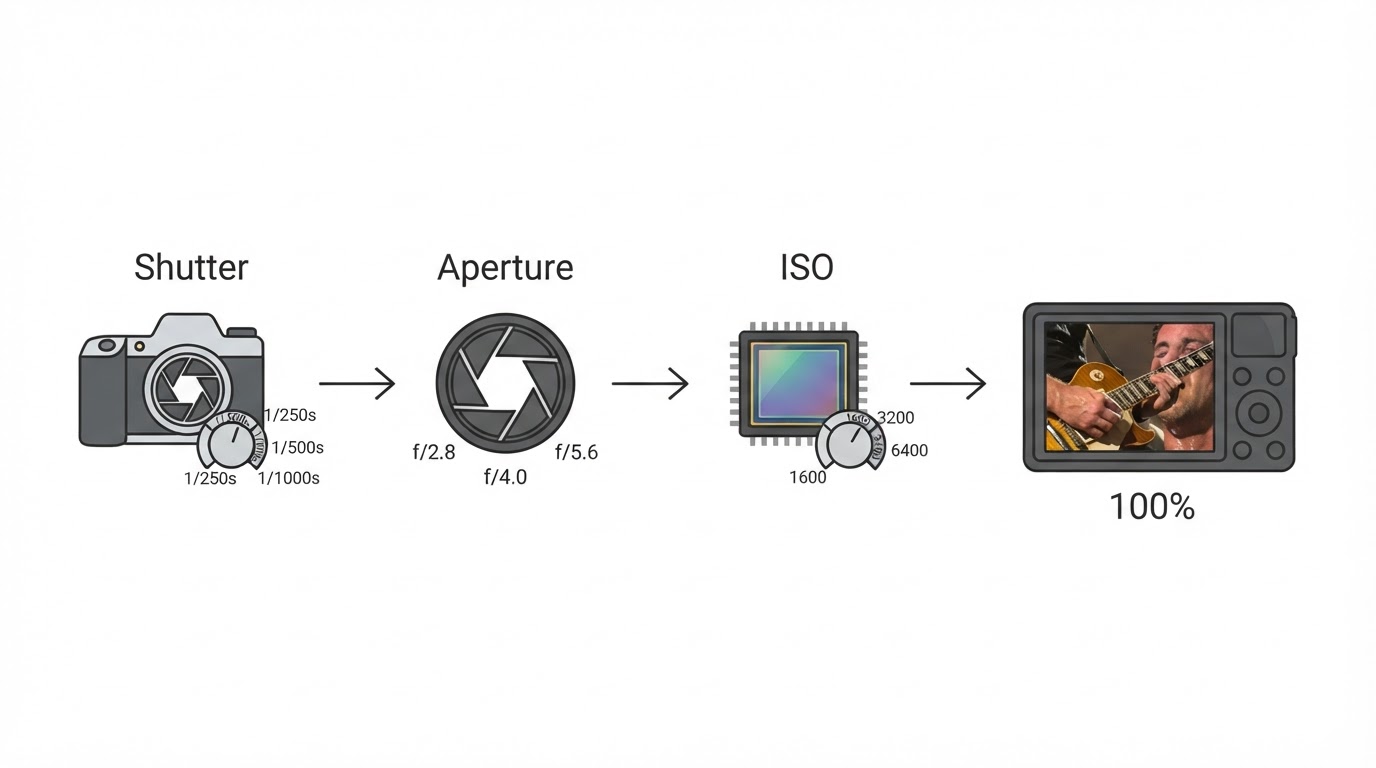
The cost of a faster shutter is light. Going from 1/60 to 1/250 second cuts the exposure by about two stops, and that light has to come from a wider aperture, a higher ISO or a brighter moment in the lighting. Sony notes that raising ISO allows faster shutter speeds but tends to add noise. In a dark room the honest sequence is:
- Set the shutter for the fastest performer motion you want to keep readable.
- Open the aperture as far as the lens allows while the focus plane still covers what matters.
- Raise ISO until the frame is exposed at a noise level your use can tolerate.
- Keep the shutter where the subject needs it, and let stabilization handle the camera.
Stabilization does not supply any of those stops for a moving performer.
An Inspect, Adjust, Check Sequence
Lighting changes between songs, so a test frame at the settings you plan to use is more informative than a guess carried over from the opener.
- Shoot a frame at your working focal length, shutter and ISO.
- Enlarge the playback and look at two places: a fixed piece of stage hardware and the performer's hands or face.
- Check focus and the focus plane first, before touching shutter speed or stabilization. Do not treat whole-frame softness as proof of defocus; check for a consistent directional smear too, because camera movement blurs every edge in the same way.
- If hardware edges are crisp and the performer is smeared, raise the shutter. If edges across the frame streak in one direction, steady the camera and confirm stabilization is enabled in a mode your camera supports for that shot.
- Change one control at a time so you can tell which adjustment helped.
- Repeat after the lighting shifts or you change lenses.
Enlarged playback is evidence about the result you wanted, not a fixed acceptance threshold. A frame that looks clean on the camera back may still carry more noise or motion than your delivery allows, and a frame that fails that check may still be the one you want.
A handheld starting point many photographers use is one over the focal length — 1/50 second on a 50mm lens, 1/200 on a 200mm — but that convention addresses camera movement only, and the usable range varies by model.
When Motion and Noise Are the Compromise
Sometimes the room does not offer enough light for both a fast shutter and a clean file. The remaining choice is what to give up: keep the motion and accept softer hands, or raise ISO and accept noise. Either can be deliberate, and the frame that suits how you will use it is the one worth keeping.