What back-button focus actually changes
Back-button focus, often written back button focus, is the practice of starting autofocus with a button on the back of the camera instead of the shutter release. Nikon describes pressing its AF-ON button as having the same effect as pressing the shutter-release button halfway, and names the technique back button focus. Nikon's explanation of the AF-ON button is the clearest short version of the idea.
What changes is when autofocus runs, not how capable it is. The reassignment does not make the lens motor quicker, improve detection in the dark, or guarantee a sharp frame. It hands the timing of autofocus to your thumb and takes that job away from your index finger. Everything else about the camera, including how it decides what to focus on, stays where it was.
What has to come off the shutter half-press
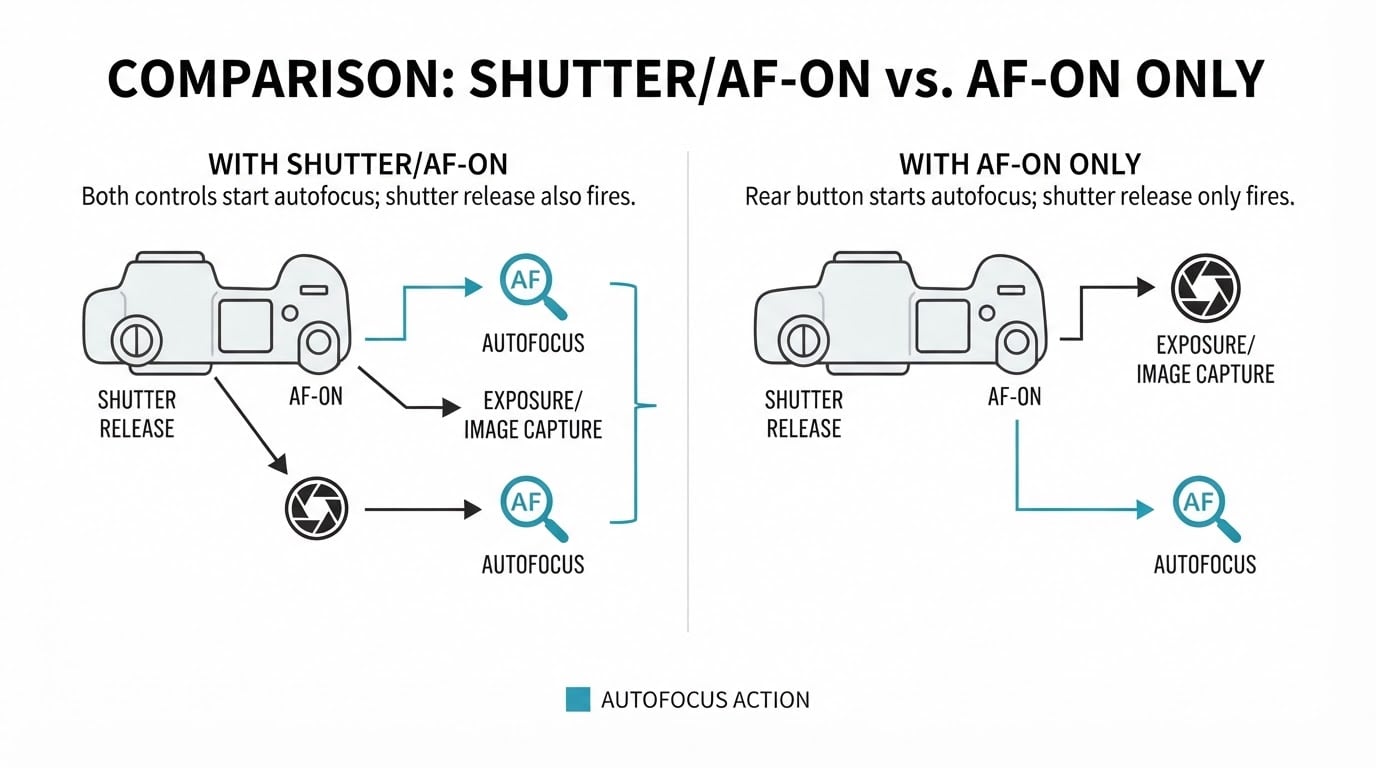
The setting you need controls autofocus activation. Nikon's default leaves both controls able to start autofocus: Shutter/AF-ON lets the shutter-release button and the AF-ON button each initiate focus. Its other option, which Nikon calls AF-ON only, removes autofocus from the shutter release so that focus comes only from the assigned button. Other brands expose the same choice as a custom function that disables autofocus on the shutter, under whatever label their menu uses.
AF activation is its own assignment. Turning off autofocus on the shutter half-press does not necessarily turn off metering, exposure lock, or anything else that half-press does; on many cameras those stay exactly as they were. Read the specific function rather than assuming the whole half-press is now disabled.
Cameras do not share names for the control or the menu. On the Nikon bodies described in that guide, the assignment lives in the custom settings under Autofocus. Other manufacturers put the equivalent control in a different menu, under different wording, and sometimes label the button something other than AF-ON. Read the label on your own camera instead of following a path you saw on someone else's.
Then check the result rather than trusting the menu. Point the camera at a distance different from the one it is currently focused on, half-press the shutter release, and watch whether the focus distance or focus indicator moves.
How held and released AF-ON behave in continuous AF
This is the conventional momentary assignment: with continuous autofocus selected, the assigned button works like a focus request you can switch on and off. Hold it while a performer walks toward the stage edge and the camera keeps updating focus for as long as you hold. Nikon's guide describes exactly this use: on-demand continuous focus by depressing and holding AF-ON while a subject moves.
Release the button and that request stops. The camera does not carry on tracking by itself after you let go, and the focus plane stays roughly where it was when you released, subject to whatever the lens and body do between frames. If the performer keeps moving in depth, you press again to restart focus where they are now. This is the part that surprises people: the button is a live control, not a one-time handover to a tracking mode.
Not every camera treats the button as momentary. Some bodies let you assign AF-ON as a toggle, so one press starts focus and the next stops it, and others offer custom hold or switch behaviours. Those variants change how the control feels in your hand. They do not change the underlying rule, which is that autofocus runs while the camera's AF activation is being requested.
The same control covers the opposite case. For a still or predictably placed subject, you focus once and recompose without the shutter release re-running autofocus on the next press. Nikon's Jay Watson describes starting in AF-ON only with continuous AF so a single set of settings carries him from a static frame to a moving one without touching another control.
What a new shutter press does and does not prevent
The payoff in a venue is what happens when something crosses the frame. If a raised phone, a mic stand, or a head in the crowd appears between you and the performer, a shutter-button autofocus system may refocus on it the moment you press. With autofocus removed from the shutter, a fresh press does not run focus again, so the frame you prepared is the frame you get, provided you are not still holding the focus button and the distance to your subject has not changed.
Held continuous focus is a different situation. If the button is down while an obstruction crosses, the camera is still updating focus and can jump to the nearer object, just as it would with any continuous AF system. The separation protects the plane you set between presses; it does not make the camera ignore what it sees while autofocus is active.
That condition does real work. Prefocus is not tracking. A singer who steps a couple of meters closer between your focus press and your shutter press will land outside the plane you set, and no button assignment prevents that. Refocus, then shoot.
Whether the shutter will fire without a confirmed focus lock is a separate behaviour. One of the photographers in Nikon's article notes that on his setup the camera will not fire until focus locks, which is a property of his configuration, not of back-button focus. Do not assume your camera behaves the same way.
When shutter-button focus is simpler
Back-button focus asks your thumb to work while your index finger waits. In a crowded pit, with a long lens, or in a dark room where you are already managing your footing, the extra thumb movement can cost you the moment you were waiting for.
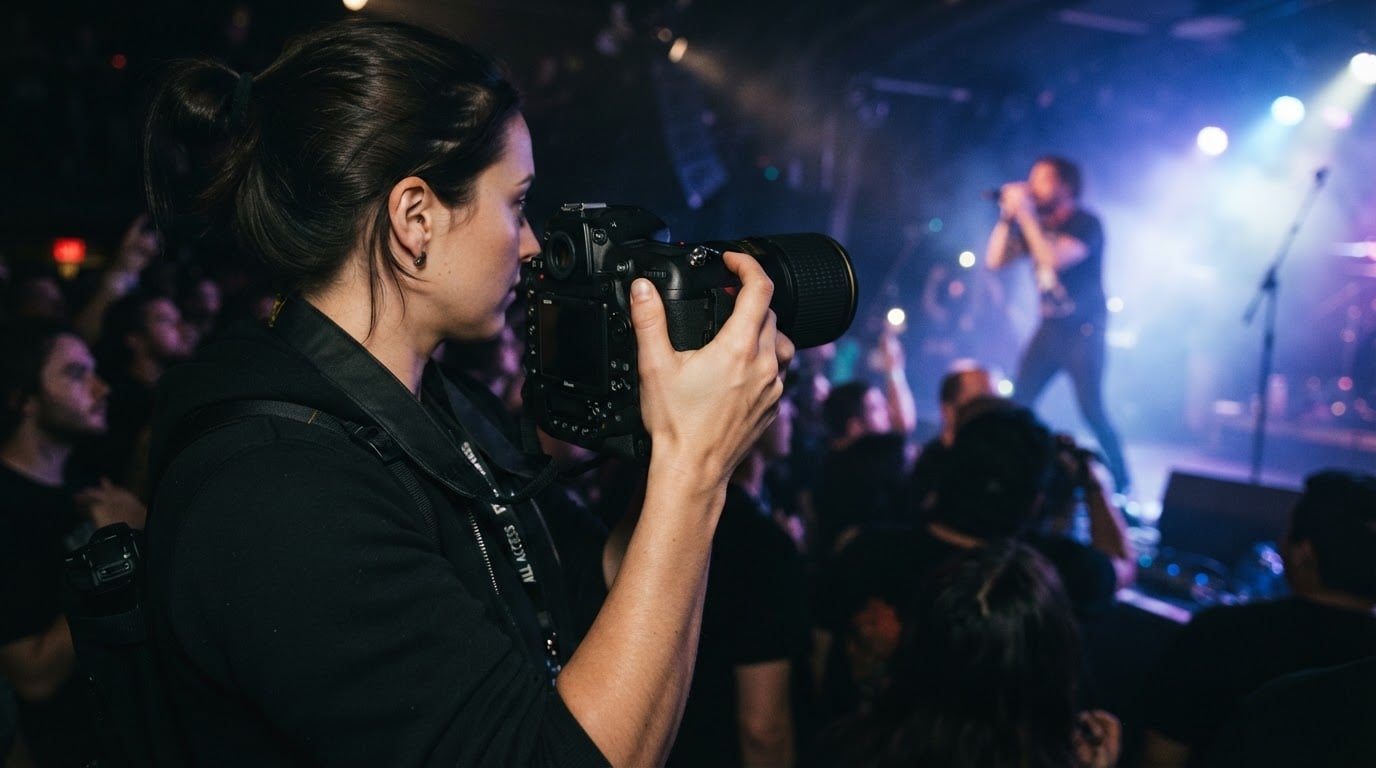
It is also unnecessary when the subject will not move relative to you: a performer planted at the mic during a quiet song, a stage-wide frame where everyone sits at a similar distance, or a portrait-style pause between numbers. In those cases, letting the shutter release handle focus keeps your hand in one place and removes a control from your list.
Nor does it rescue autofocus that cannot find the subject. In very low light, through backlit haze, or with a face behind a curtain of hair, the camera may still hunt. Moving activation to another button changes who asks for focus, not whether the sensor can get it.
A check you can run before the show
- Open the camera setting that controls autofocus activation and take autofocus off the shutter release, leaving it on the rear button or its equivalent. Look for the setting that changes whether the shutter starts autofocus, not just one that reassigns a button.
- Select continuous autofocus.
- Focus on a subject with the rear button, then point at something at a clearly different distance and half-press the shutter release. If focus moves, shutter AF is still on. The two distances matter: a half press on a subject that is already in focus can show no movement even when autofocus is still assigned to the shutter.
- With the camera still at that second distance, focus the rear button on a still object, release, then press the shutter. The object should stay sharp.
- Focus on a person walking toward you, hold the button, and fire a short burst. Repeat with a release before the burst and compare the two sequences.
- Focus on a subject past a near foreground object with the rear button, then take a new frame without touching the focus control. A fresh press should not restart autofocus on the obstruction. Then try the same frame while holding the button, and expect continuous AF to be able to follow the nearer object.
You are done when the shutter produces no new focus movement, the rear button produces focus on demand, and you can fire repeatedly without the camera re-focusing between frames.
Run this at home or at a permitted rehearsal, and keep paid or otherwise important shows out of the practice sessions. If the thumb action makes you slower than the shutter button did, change back.
AF area is still a separate choice
The activation control does not choose what the camera focuses on. Single-point, zone, wide-area, subject detection and tracking sensitivity remain separate settings, and they still decide which part of the stage the camera pays attention to. You can use back-button focus with a single point parked on a singer's face, or with a wide area and subject detection. The button decides when focus starts and stops; the area decides what the camera looks at. The site's guide to concert photography autofocus settings covers the targeting side in more detail.
Practice, then decide
Expect the first few songs to feel clumsy. Your thumb has to find a button it has never used while your eye is on the performer, and the camera may sit differently in your hand. Practice the motion at home or in rehearsal until the reach is automatic.
Back-button focus is one layer in a stack that also includes the AF mode, the AF area, and the exposure settings you have already chosen for the light. It gives you a manual switch for the moment autofocus runs; it does not make a dark venue bright or remove the need to choose a target. If the control sequence fits how you shoot moving performers, keep it. If the shutter release suits your hands better, leave the camera as it came.